
Best SportzX Alternatives in 2026 for Firestick and Android TV
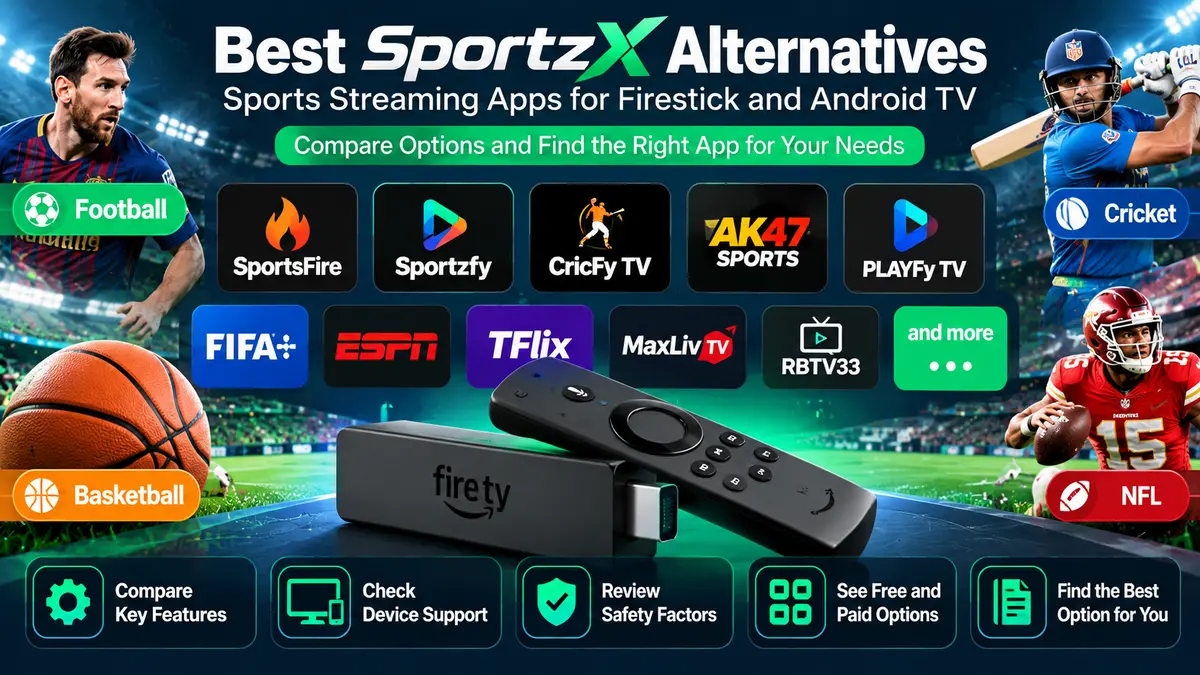
SportzX alternatives include SportsFire, Sportzfy, CricFy TV, AK47 Sports, PLAYFy TV, FIFA+, and ESPN. These apps and services differ in sports coverage, device support, pricing, and download sources. FIFA+ and ESPN have identifiable official operators, while the third party APKs listed here have not been independently tested for this comparison.
If you want another way to watch football, cricket, NFL, NBA, or other sports, start with the comparison below. It explains which options are worth checking and what you need to know before installing them.
What Are the Best Alternatives to SportzX?
FIFA+ is an official option for football archives and selected live matches. ESPN provides licensed sports coverage through its subscription services, particularly in the United States.
SportsFire, Sportzfy, CricFy TV, AK47 Sports, and PLAYFy TV are also listed in third party sports app comparisons. However, their current APKs, streaming rights, and playback reliability have not been independently verified for this article.
The best choice depends on the matches you want to watch, your device, and your country.
Quick Comparison of Sports Streaming Apps
| App or Service | Main Focus | Access | Firestick or Android TV | Verification |
|---|---|---|---|---|
| SportsFire | Live sports streams | Advertised as free | Firestick support claimed by third party guides | Current APK not tested |
| Sportzfy | Football, cricket, and sports content | Advertised as free | Android based devices claimed | Compatibility unverified |
| CricFy TV | Cricket and other sports | Advertised as free | Firestick support claimed | Current APK not tested |
| AK47 Sports | Live sports streaming | Advertised as free | Firestick support claimed | Current APK not tested |
| PLAYFy TV | Sports and television streams | Advertised as free | Firestick support claimed | Compatibility unverified |
| FIFA+ | Football, archives, and selected live matches | Free content available | Check official service for device availability | Official FIFA service |
| ESPN | Live sports, replays, and analysis | Subscription for much live coverage | Official Fire TV and Android TV support | Official ESPN service |
Important: An app appearing in a Firestick guide does not prove that its current version works on every device or that its streams are licensed.
Which SportzX Replacement Should You Try First?
If you want free football content from an identifiable provider, check FIFA+. For licensed sports coverage in the United States, ESPN offers subscription options.
If you specifically want another third party sports APK, SportsFire, Sportzfy, and CricFy TV are names you may encounter in Firestick comparisons. Check their current download sources and features before deciding.
| Your Main Need | Where to Start |
|---|---|
| Free football highlights and archives | FIFA+ |
| Selected free live football matches | FIFA+ live schedule |
| NFL, NBA, and other US sports | ESPN and authorized broadcasters |
| Cricket matches | Official competition broadcasters |
| Another Firestick sports APK | Compare SportsFire, Sportzfy, and other third party apps |
| Problems with your current installation | Check the existing app before switching |
| An app from an identifiable operator | Start with official streaming services |
No single application should be assumed to provide every sports channel or competition.
1. SportsFire
SportsFire appears in third party Firestick guides as an application for watching live sports.
It is commonly promoted as a free option for television users who want access to sports streams without a traditional cable subscription.
However, we have not tested its current APK, confirmed its developer identity, or verified its content rights.
Does SportsFire Work on Firestick?
Firestick installation guides describe SportsFire support, but we have not tested the current release on Fire TV devices.
Before installing it, check the download source, device compatibility, developer details, and requested permissions.
If you encounter a Downloader code, remember that the code only directs the Downloader application to a destination. It does not verify the APK’s authenticity.
Is SportsFire Better Than SportzX?
There is not enough independent testing to establish that SportsFire performs better.
A useful comparison would require testing both applications on the same device and network, checking stream loading, playback interruptions, advertisements, and available sports.
A larger channel list does not necessarily mean better playback.
2. Sportzfy
Sportzfy is listed in third party comparisons of Android sports streaming applications.
These guides associate it with football, cricket, and other sports content. Some also describe additional playback features.
We have not confirmed those features in its current release.
Is Sportzfy the Same as SportzX?
No. Sportzfy and SportzX are presented as separate sports streaming applications.
Their similar names and sports categories do not establish a shared developer, server, or streaming service.
If you are switching because your current app displays a server connection error, another application may still experience playback problems.
Does Sportzfy Support Android TV?
Third party descriptions associate Sportzfy with Android devices, but we have not confirmed its current Android TV compatibility.
An Android phone APK does not automatically work properly on a television.
Check whether the interface supports remote navigation and whether the application is designed for your TV operating system.
3. CricFy TV
CricFy TV is commonly described as a cricket focused streaming application.
Third party guides associate it with cricket coverage and additional sports or television categories.
Some competitor descriptions also mention M3U playlist support. That feature has not been independently confirmed in the current release.
Can CricFy TV Show IPL or PSL Matches?
CricFy TV’s current IPL and PSL coverage has not been independently verified.
The Indian Premier League and Pakistan Super League have broadcasting arrangements that can change by season and country.
Before choosing a service for a particular match, check the competition’s official broadcasting information.
This is especially important for viewers in India, Pakistan, Bangladesh, and the United Kingdom.
Does CricFy TV Support M3U Playlists?
Third party installation guides describe M3U playlist functionality.
We have not tested whether the current APK accepts custom M3U URLs or how its playlist player behaves.
If playlist support is important to you, verify the feature in the actual application before relying on it.
4. AK47 Sports
AK47 Sports appears in Firestick comparisons as another sports streaming application.
Third party guides associate it with football, cricket, tennis, and other sporting events.
Its current streaming availability, developer information, and licensing arrangements have not been independently confirmed here.
Is AK47 Sports a Reliable Replacement?
Its reliability cannot be established from promotional descriptions alone.
For example, a user in an October 2026 Firestick discussion reported getting audio without video while trying AK47 Sports.
That is an individual report, not proof that the application has a widespread playback problem.
A black screen with audio can also have several causes, including player compatibility or problems with the selected stream.
Is AK47 Sports Safe?
We have not tested its current APK for security.
Check the source, requested permissions, developer information, and available security results before installing.
A file passing a malware scan does not guarantee that the application is harmless.
5. PLAYFy TV
PLAYFy TV is listed in third party Firestick guides as an application for sports and television streams.
Some guides advertise different playback resolutions and television friendly controls.
We have not confirmed those features in the current release.
Does PLAYFy TV Work on Firestick?
Third party guides describe Firestick installation, but we have not tested its current version on Fire TV devices.
Check whether the APK comes from a verifiable source and whether it supports your device.
If the application is not available through an official app store, do not assume that every download website distributes the same file.
Does PLAYFy TV Offer Different Video Qualities?
Some third party descriptions mention selectable video resolutions.
We have not verified whether the current version provides those controls or whether every stream supports them.
Video quality also depends on the source, network conditions, and playback device.
6. Other Apps Mentioned in Firestick Comparisons
TFlix, MaxLiv TV, RBTV33, FalconCast, GeeSports, and GHD Sports also appear in competitor lists.
These names are included for completeness, not as tested recommendations.
| Application | What Needs Checking |
|---|---|
| TFlix | Current APK source, playlist support, and device compatibility |
| MaxLiv TV | Current version, available sports, and developer information |
| RBTV33 | Application identity, streaming sources, and device support |
| FalconCast | Current functionality, playback controls, and download authenticity |
| GeeSports | Playlist features, account requirements, and current compatibility |
| GHD Sports | Developer identity, update history, and streaming availability |
If you are comparing these apps, focus on actual features rather than ratings published without a clear testing method.
Do not assume that two applications offering the same sports categories provide the same channels, playback quality, or reliability.
7. FIFA+ for Free Football Content
FIFA+ is FIFA’s own football streaming and video service.
It provides football archives, documentaries, highlights, and selected live matches.
Its live schedule changes, and available broadcasts can differ by location.
Can You Watch Football for Free on FIFA+?
Yes. FIFA+ offers free football content, including selected live matches.
However, it does not provide every Premier League, UEFA Champions League, or international match.
Check the live schedule before matchday.
Official website: FIFA+
What Can You Watch on FIFA+?
Depending on current availability, the platform includes:
- Football highlights.
- Archived matches.
- Football documentaries.
- Selected live competitions.
- Historical tournament content.
FIFA+ is a reasonable choice for football fans who want free content from an identifiable provider.
It is not a replacement for every premium sports broadcaster.
8. ESPN for Licensed Sports Coverage
ESPN provides live sports, analysis, replays, and other programming through its official services.
Its coverage includes a range of US and international competitions.
Access depends on your subscription, location, and the broadcasting rights for each event.
Is ESPN Free?
Much of ESPN’s live sports coverage requires an eligible subscription or television provider.
ESPN Select includes ESPN+ content.
ESPN Unlimited includes a broader selection of ESPN networks and services.
Check the event and plan before subscribing.
Official website: ESPN
Does ESPN Work on Firestick and Android TV?
Yes. ESPN officially lists Fire TV and Android TV among the supported platforms for its Select and Unlimited subscriptions.
Availability and subscription requirements may differ by region.
Install the official application through your device’s supported app store.
Can ESPN Show NFL, NBA, and Other Sports?
ESPN carries programming associated with major sports, including American football, basketball, hockey, baseball, college sports, and international competitions.
However, the availability of a particular game depends on the relevant broadcasting rights and subscription plan.
Do not assume that every NFL or NBA game is included.
What We Verified in SportzX v3.2
Our examined SportzX APK displays version 3.2 Stable.
The application screenshots show sports categories, a Highlights section, Playlists, Floating Player, Network Stream, Force Low Quality, and Player Render settings.
These observations come from the tested application interface.
They do not prove that every stream works, that every advertised channel is available, or that all features behave the same way on every device.
Verified APK Information
| Detail | Verified Result |
|---|---|
| Displayed Version | 3.2 Stable |
| APK Size | 20,884,286 bytes |
| Approximate File Size | 19.92 MiB |
| SHA256 | 98afe8b8c22c96c3b1021bfd9432e660a7cfae209d5d308d21f41cb971d2f44f |
| Original Screenshots | Available |
| Alternative APK Testing | Not performed for this comparison |
he file hash identifies the exact APK examined. It is not a safety certificate.
Which Features Matter When Comparing Apps?
Our tested interface provides a useful starting point for comparing sports applications.
| Feature | Why It Matters |
|---|---|
| Sports Categories | Helps users locate different sports |
| Highlights | Provides access to available short videos or event content |
| Playlists | May support organizing or loading content |
| Floating Player | Allows a different viewing arrangement when supported |
| Network Stream | Provides a network playback option |
| Force Low Quality | Offers a lower resolution setting for mobile data |
| Player Render | Provides a playback rendering setting |
| Update Option | Helps users locate an available app update |
These settings were visible in the examined SportzX build.
Their presence does not establish that competing applications have the same features.
Which Sports Apps Work on Firestick and Android TV?
Official services such as ESPN provide documented device support.
For third party sports APKs, compatibility needs to be checked against the actual release.
Firestick, Android TV, and Google TV use related Android based platforms, but their application support is not identical.
How Do You Check Firestick Compatibility?
- Open the Amazon Appstore on your Fire TV device.
- Search for the service by its exact name.
- Check the developer and application details.
- Confirm that your device is supported.
- Install through the official store when available.
If an application is distributed only as an APK, check its authenticity and compatibility before installing.
For instructions related to the existing application, see our SportzX Firestick installation guide.
Can Android Phone APKs Run on Android TV?
Some can, but compatibility is not guaranteed.
A phone application may require touchscreen controls or use an interface that does not work well with a television remote.
Check whether the developer provides a television version.
What About Samsung and LG Smart TVs?
Samsung TVs commonly use Tizen, while LG Smart TVs use webOS.
These systems do not natively install standard Android APK files.
Look for a supported application in the television’s official app store or use a compatible external streaming device.
Free vs Paid Sports Streaming Apps
Free services can provide useful sports content, but access to particular live events depends on broadcasting rights.
Paid services usually provide clearly defined subscription plans and event coverage.
Neither category guarantees uninterrupted playback.
| Feature | Free Services | Paid Services |
|---|---|---|
| Subscription | Often not required | Usually required |
| Live Sports | Depends on available rights | Depends on plan and rights |
| Advertisements | May be present | May still be present |
| Match Replays | Varies by provider | Varies by provider |
| Customer Support | Depends on operator | Usually documented |
| Regional Restrictions | Possible | Possible |
| Major League Coverage | Often limited | Depends on the service |
Are Free Sports Apps Always Worse Than Paid Services?
No. Free services can be useful when they provide the content you want.
However, a free application advertising hundreds of premium channels should not automatically be treated as an authorized broadcaster.
Check the source and available rights information.
Why Do Users Look for Another Sports Streaming App?
Users may consider switching when an app stops opening, displays server errors, buffers repeatedly, or fails to play a particular channel.
These problems do not always mean the entire application has stopped working.
In an October 2026 Firestick discussion, one user reported that SportzX was not working, while another said it was working normally on a Google TV device.
Those reports show that experiences can differ between devices and users.
What Should You Try Before Switching?
First, check whether your internet connection works in another application.
Next, restart the affected app and test another available stream.
If the problem continues, check for an update from a source you can verify.
For more detailed instructions, read our SportzX not working guide.
If only one channel fails, see our SportzX channels not working guide.
These existing guides cover troubleshooting in more detail.
What Should You Compare Before Installing Another APK?
A sports app comparison should cover more than the number of advertised channels.
Check the following details before choosing an application.
1. Download Source
Look for an identifiable developer and a verifiable distribution source.
Avoid download pages that impersonate established services.
2. Device Compatibility
Confirm whether the application supports your Firestick, Android TV, Google TV, or mobile device.
3. Sports Coverage
Check whether the service carries the specific competition you want.
A football category does not guarantee access to every league.
4. Playlist Support
Some applications advertise M3U or Xtream Codes support.
These are methods of supplying playlist or service connection information.
Their presence does not establish that the associated content is licensed.
Only use playlist services and credentials you are authorized to access.
5. Advertisements
Check whether advertisements appear before playback or inside the application.
Advertising behavior can vary between versions.
6. Registration
Find out whether the service requires an account.
Do not provide personal or payment information to an operator you cannot identify.
7. Playback Controls
Look for settings that are useful on your device, such as resolution selection, player controls, or supported playback modes.
Do not assume that every application offers these options.
8. Updates and Support
Check whether the developer provides current release information and a support channel.
An old update date does not automatically mean an app is unsafe, but it may make compatibility harder to assess.
Are Free Sports APKs Safe?
A free sports APK is not automatically safe or unsafe.
Its security depends on the actual file, download source, permissions, and behavior.
We have not tested the alternative APKs listed in this article.
How Can You Check an APK Before Installing?
Use an official app store or verifiable developer source whenever possible.
Review the permissions requested by the application.
Check the file with reputable security tools.
Keep your device updated.
Avoid entering account passwords or payment information into an application whose operator you cannot identify.
A security scan with no detections does not prove that an APK is completely safe.
Does a VPN Make a Sports APK Safe?
No.
A VPN does not remove malware, verify the developer, or establish that a streaming service has permission to distribute copyrighted content.
It also cannot guarantee that a stream will work.
Are Sports Streaming Alternatives Legal?
Legality depends on the content, the provider’s rights, and the laws that apply in your location.
An application can be legal software while some streams distributed through it are unauthorized.
A channel logo or a claim of free access does not prove that the provider has broadcasting rights.
For major competitions, check official league or broadcaster information.
Which Sports Streaming Service Should You Use in Your Country?
Sports broadcasting rights differ between countries.
A service that carries a match in the United States may not carry it in India, Bangladesh, Kenya, or the United Kingdom.
| Country | What to Check |
|---|---|
| United States | ESPN and other authorized broadcasters for the competition |
| United Kingdom | Official UK broadcast partners |
| India | Current rights holders for IPL, cricket, football, and other events |
| Bangladesh | Authorized cricket and football broadcasters |
| Kenya | Current regional sports broadcasting partners |
How Do You Find the Official Broadcaster?
Search for the competition’s official website.
Open its broadcasting or viewing information.
Select your country when that option is available.
Then check which service carries the event and whether a subscription is required.
This is more dependable than assuming that an app advertising a particular league can show every match.
Frequently Asked Questions
inal Thoughts
For free football archives and selected live matches, check FIFA+.
For licensed sports coverage in the United States, compare ESPN’s subscription options.
SportsFire, Sportzfy, CricFy TV, AK47 Sports, PLAYFy TV, and other third party APKs appear in Firestick comparisons, but their current functionality, security, and streaming rights have not been independently verified here.
Choose based on the sport you follow, your country, your device, and the source of the content. Check the actual service before installing or subscribing.